Minimalist launchers make the addiction look tasteful.
Same habit, nicer wallpaperNow on Google Play — Early Access
Klokd finds the phone habits your screen-time tracker misses.
Your tracker can tell you lost 6 hours. Klokd shows the loop that keeps stealing them.
Danger Window10pm–12amLast 7 days
Usage Change+43%vs last week
Top CulpritsInstagram1h 04mYouTube36m
Scheduled block
See the evidence. Review the fix. Then apply it.
Problem
Tracking is not changing.
Most screen-time tools stop at the total.
You used your phone for 6h 12m today.
A guilt receipt is not a diagnosis.
Hard blockers build a wall before finding the leak.
Useful. Still guessing.Timers prescribe one number to every bad habit.
One rule, every patternFocus apps still expect you to diagnose the habit yourself.
The homework is yoursKlokd looks behind the number:
Why Klokd
Blocking is useful. Guessing what to block is the broken part.
Limits work better when they are aimed at the actual problem. Revolutionary, apparently.
Read the full Why Klokd breakdownTrackers count the damage.
Six hours tells you how much. Not where the habit leaks.
Klokd finds the shape of the habitBlunt blockers treat every habit alike.
A midnight spiral and an app-hopping loop need different friction.
Klokd matches friction to the patternFocus tools expect you to diagnose yourself.
Great—if you already know exactly what to fix. Klokd finds the bit you missed.
Klokd brings the receipts firstPatterns Klokd can find
Your screen time has more than one personality.
Because “six hours” can hide six very different problems.
Danger Windows
The same hours keep swallowing your time.
Night Drift
Your bedtime keeps losing negotiations.
Switching Loops
The same apps keep passing you around.
Notification Hooks
One ping keeps buying your attention.
Morning Autopilot
Your phone keeps winning the first hour.
Usage Escalation
One app is quietly taking more each day.
Yes, it counts the “quick checks” your memory generously deleted.
Usage escalatingDaily limit
Sessions run longDose
App hopping repeatsSwitching Guard
Risk window repeatsScheduled block
Quick checks repeatCheck-In Loop Guard
Bedtime keeps slippingNight Scroll Guard
Your next move
One bad habit. One matching consequence.
A midnight spiral does not need the same intervention as one endless session or an app habit quietly doubling behind your back.
Klokd recommends the right limit or guard with the apps and times ready for your review.
Nothing is auto-applied. You stay in control of every rule.
Klokie
The roasting coach your screen time earned.
One pattern. One roast. One move worth trying—plus receipts, because denial loves a vague accusation.
Klokie saysYou keep calling it “winding down,” but your 11pm app rotation has a better attendance record than most meetings.
Priority patternNight Drift
Late use is moving beyond your usual bedtime.
Recommended actionReview a Night Scroll Guard
Scheduled blockSet a daily limit
See full evidence
Privacy
Your habits are sensitive. Klokd treats them that way.
Your usage should explain your habits—not fund someone else’s targeting spreadsheet.
See how Klokd handles your data- Core pattern detection stays on your device
- Optional context is not retained in a Klokd database
- No social feed
- No shame streaks or productivity Olympics
FAQ
The important bits. No essay exam.
What does Klokd actually detect?
Repeatable patterns: danger windows, night drift, quick checks, switching loops, sticky sessions, notification hooks, and escalating use.
Does Klokd apply blocks automatically?
No. Klokd suggests a fitting rule and starting values. You edit and confirm everything.
What is Klokie?
A lightweight roasting coach that calls out your strongest pattern and recommends one useful next move.
Does all Android analysis stay on my phone?
Core detection runs locally. Features such as Klokie coaching process the required usage summary through Klokd’s service. That activity is not sold or used for ads.
Is the Android app available now?
Yes. Klokd is now available in Early Access on Google Play, so you can start using it while we keep sharpening the experience.
What can the browser extension do today?
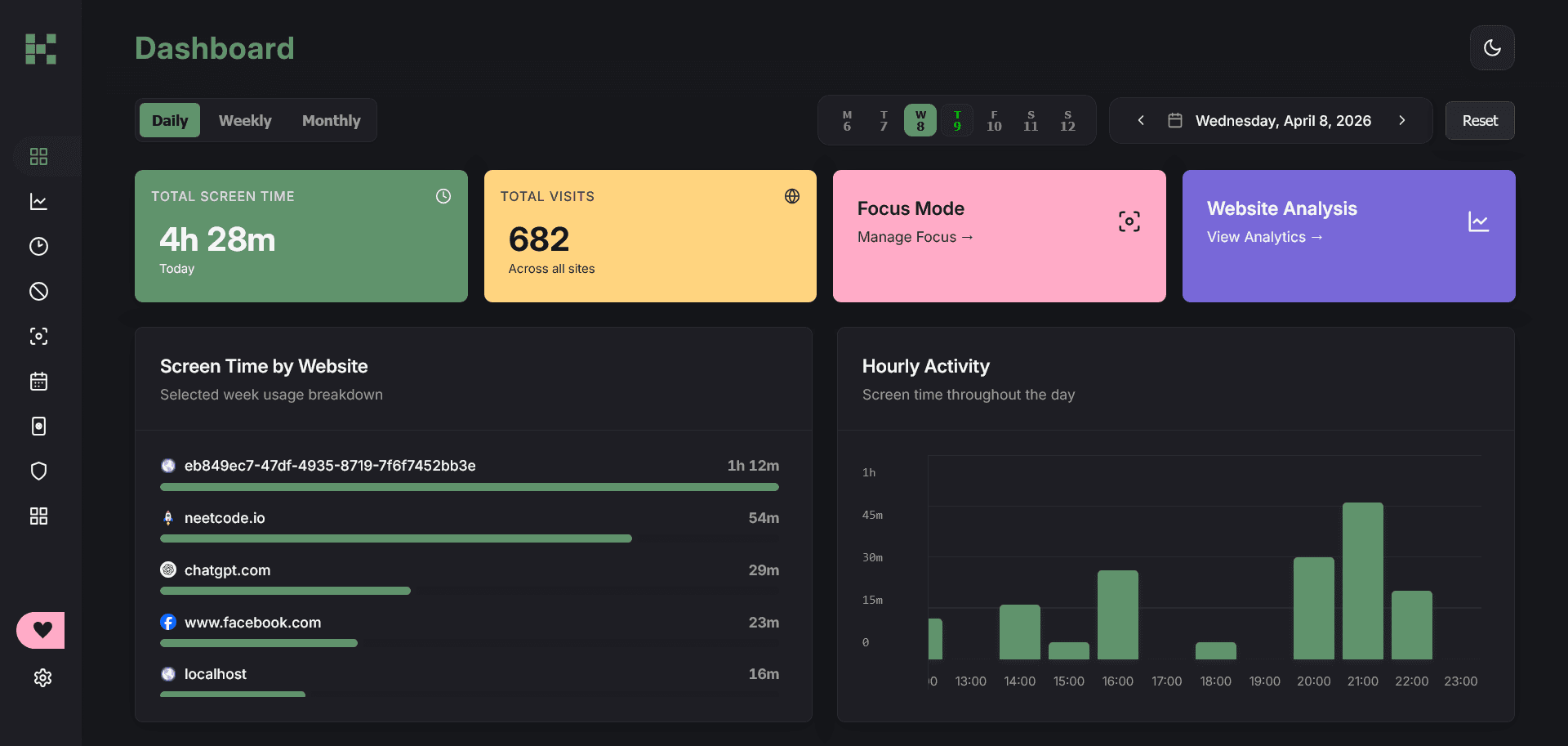
Local analytics, daily limits, timed access, focus sessions, and site blocking—without an account.
Early Access
Klokd is ready when you are.
Download the Android app from Google Play and help shape what comes next.
Available nowGet Klokd on Google Play
Download Early Access is open. Find the patterns behind your screen time—and interrupt them.
Your screen-time total already told on you. Klokd tells you what to do about it.